

Meshtastic Tips

 Home
Home Reader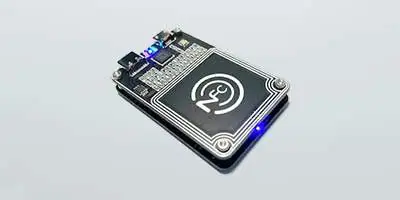
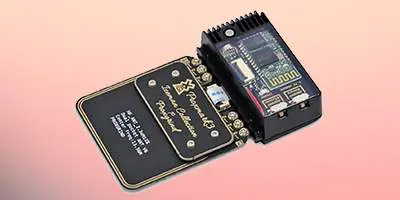
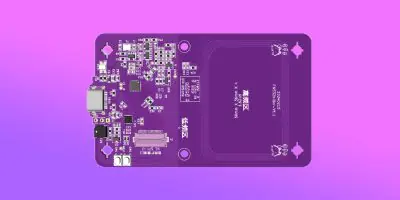

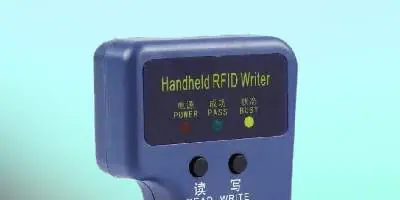








 Software
 Windows
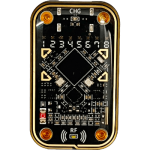 Chameleon Ultra GUI
 iOS
iOS Android
 Web
Web Tutorial
 Apps
Apps Tips
Tips Documents
 Instructions
 Chameleon Ultra
 UHF Reader to change TID
MTools Tec Software
Powerful apps and tools designed to work seamlessly with your RFID & LoRa devices.
📱 Android Apps
MTools
The most powerful Mifare Classic card management app for Android. Supports PN532, ACR122U, All-in-One PN532 via OTG & Bluetooth. Features Read/Write/Sniff/Clone, full dump, key cracking, and more.
MTools BLE
Cross-platform Bluetooth RFID app for Android & iOS. Connects wirelessly to All-in-One PN532 and Chameleon Ultra. Requires a one-time activation or in-app purchase.
RFID Tools
By the RRG team. Comprehensive RFID analysis app supporting Chameleon Ultra, Proxmark3, and many protocols. Ideal for researchers and security professionals.
Chameleon Ultra GUI
Official companion app for the Chameleon Ultra emulator. Manage all 8 slots, upload/download card data, and configure settings over Bluetooth or USB.
MCalc
RFID utility calculator for Android. Computes MIFARE keys, CRC values, and common RFID data conversions. A handy companion for any RFID technician or researcher.
Chameleon (Proxgrind)
Original Chameleon management app. Supports Chameleon Mini and compatible devices for card emulation and slot management. Simple and reliable.
iOS Apps
MTools BLE (iOS)
Full-featured MIFARE management app for iPhone. Connect wirelessly to your RFID hardware via Bluetooth. Supports All-in-One PN532, Chameleon Ultra, and more.
Chameleon Ultra GUI (iOS)
Manage your Chameleon Ultra from your iPhone. Configure slots, transfer card data, and update firmware — all over Bluetooth. No desktop required.
ChameleonTiny Manager
Manage your ChameleonTiny device from iOS. Upload and switch card slots, edit UID and card data with a clean and intuitive interface.
🖥️ Windows Desktop Tools
PCSC Mifare Program
Windows software for managing MIFARE Classic cards via ACR122U and other PC/SC readers. Supports sector read/write, key management, and dump import/export.
Python CLI for PN532
Command-line tool for advanced users. Script RFID read/write operations with Python on your PN532 or PN532Killer via USB. Perfect for automation and research workflows.
Chameleon Ultra GUI (Win)
Desktop app for Chameleon Ultra. Manage 8 card slots, run mfkey32, scan ISO14443A cards, and perform DFU firmware updates from your PC.
MifareOneTool (PN532)
Open-source Windows tool for MIFARE Classic cards via PN532. Supports dictionary attacks, cloning, and sector editing. Great for power users.
Fuse Tool (ACR122U)
Windows utility for ACR122U and UMC Gen4 cards. Write fuse data and manage special card configurations requiring direct low-level access.
S50 7BUID Tool (ACR122U)
Windows tool for writing and managing 7-byte UID MIFARE S50 cards via ACR122U. Perfect for advanced card customization tasks.
🌐 Web Tools (Browser-Based)
No installation needed — run these tools directly in your browser for Chameleon Ultra management.
DFU – Chameleon Ultra
Flash firmware updates to your Chameleon Ultra directly from the browser via Web Bluetooth.
Mfkey32 – Chameleon Ultra
Recover MIFARE Classic keys using the Mfkey32 algorithm with your Chameleon Ultra — right in the browser.
Mifare 1K Editor – CU
Edit MIFARE Classic 1K card data directly in the browser with your Chameleon Ultra connected over Web Bluetooth.
14A Scanner – Chameleon Ultra
Scan and identify ISO14443A cards with your Chameleon Ultra from the browser. Quick identification without any software install.
Web Flasher – nRF52 & ESP32
Flash firmware to GAT562 30s (nRF52840) and ESP32 devices directly in your browser. No drivers needed — works in Chrome & Edge.
🚀 Looking for a Complete RFID Solution?
From hardware to software — we provide end-to-end RFID & LoRa solutions for researchers, businesses, and developers. Get in touch and let us help you find the right setup.
 Magic Card
 Ultimate Magic Card
 4B UID S70 4K KeyFob
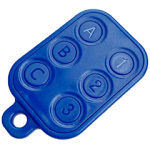 6-in-1 KeyFob
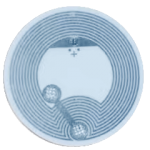 NTAG 213 215 216
 NTAG ISO15693
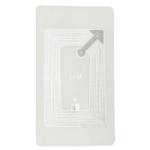 ISO15693 TAG – 64B
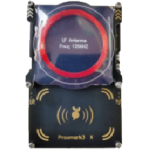 RFID Reader
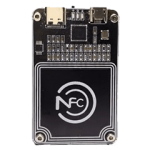 PN532 BLE
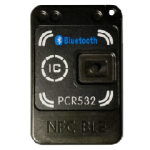 PcrReader(IC+ID)
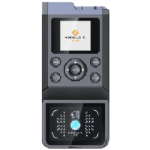 iCopy-XS
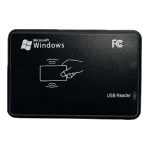 ISO15693 Reader
 NFCKill Pro
 125KHz T5577 Cloner
 RFID Emulator
 RF Detector
 Chameleon Ultra SE
 Chameleon Lite
 Chameleon Mini 2022
 Pixl Amiibo
 Lora
Lora Meshtiny

 WiFi Deauthor
 WiFi Killer Pro
 USB Hack
 Plugin

 YMM Car Bulb Size
 OpenAI Reviewer
 Code
Code MTools Activation Code
 View All