
 Home
Home Reader




 Flipper
 Cardputer
 Software
 Windows
 PCSC Mifare Program
 Chameleon Ultra GUI
 iOS
iOS Android
 Web
Web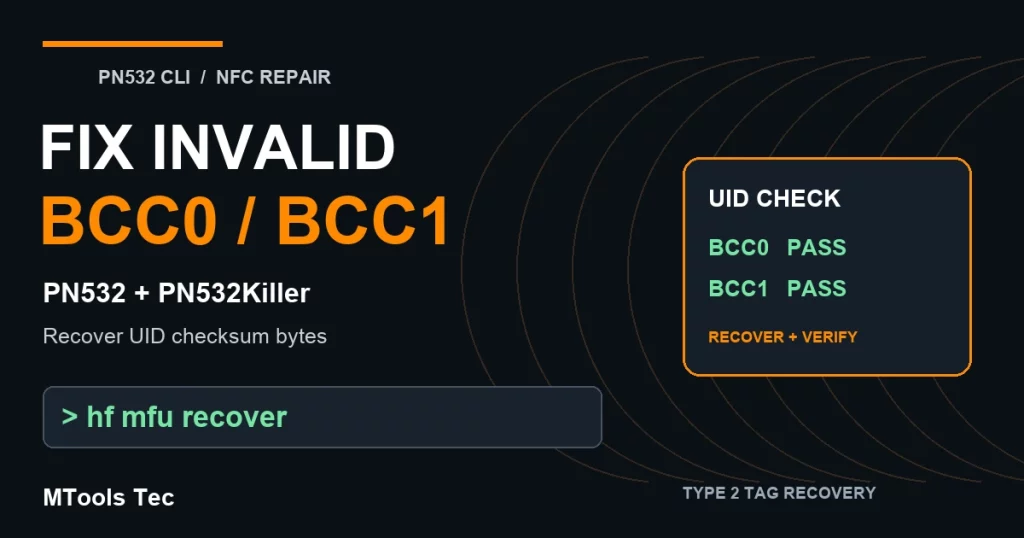
Oct
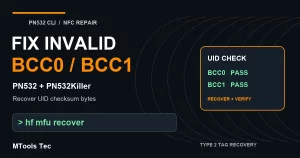
You can fix invalid BCC0 or invalid BCC1 on a compatible DirectWrite Type 2 tag with PN532 CLI and a PN532 or PN532Killer. The command is hf mfu recover: it selects the tag without relying on valid BCC bytes, recalculates the UID checks, writes the repaired pages, and verifies the result with a normal ISO14443-A scan.
This guide also shows how the MIFARE Ultralight Tool Android app uses your phone’s built-in NFC hardware to prepare a UID change and check BCC0/BCC1 before writing. Invalid UID or BCC data is flagged as invalid and blocked from being written.
Understand the error · Recover with PN532 CLI · Change UID with Android NFC · FAQ
What do invalid BCC0 and invalid BCC1 mean?
A 7-byte UID is selected in two cascade levels. Each level has a Block Check Character (BCC), calculated using XOR. If the stored BCC does not match the UID bytes, normal tag selection can fail—even though the tag is still physically present.
BCC0 = 0x88 XOR UID0 XOR UID1 XOR UID2
BCC1 = UID3 XOR UID4 XOR UID5 XOR UID6

Page 0: UID0 UID1 UID2 BCC0
Page 1: UID3 UID4 UID5 UID6
Page 2: BCC1 [other existing bytes]
Here 0x88 is the cascade tag used for the first selection level. A raw edit to pages 0 or 1 without updating the corresponding BCC can leave a tag in this inconsistent state. BCC0 corresponds to CL1; BCC1 corresponds to CL2.
Why can a scan report “Tag not found”?
The supplied screenshots show an ordinary hf 14a scan detecting a tag, followed by a later scan returning ISO14443-A Tag not found. An invalid BCC can cause this symptom. Poor antenna placement, an unsupported tag, or a connection problem can also cause a failed scan, so the message alone is not a BCC diagnosis.
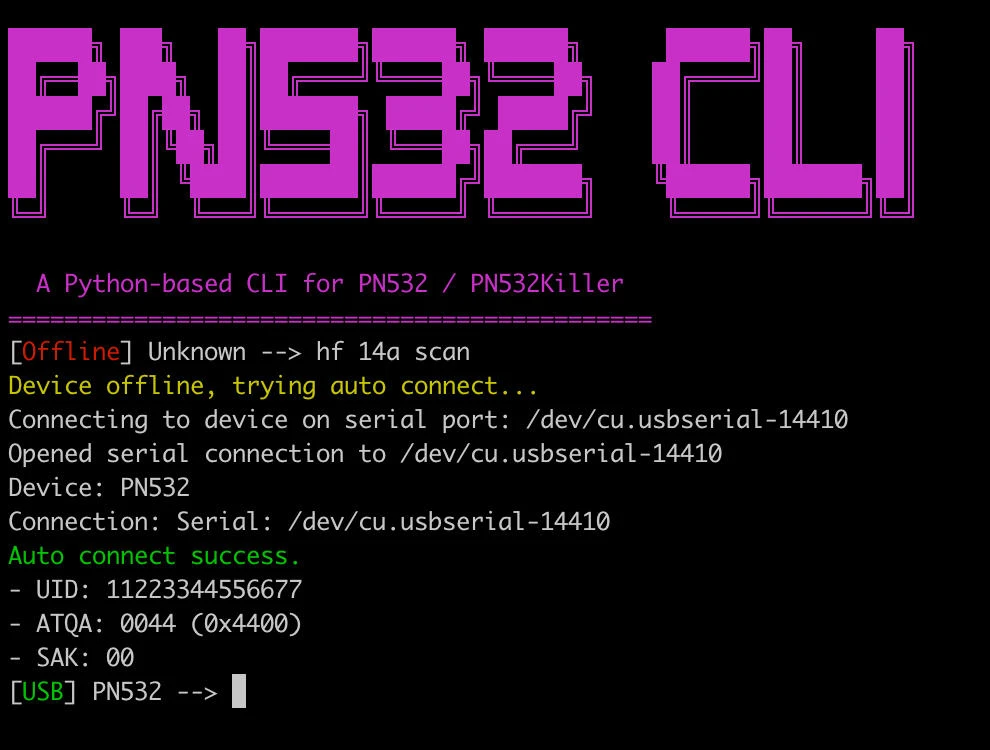
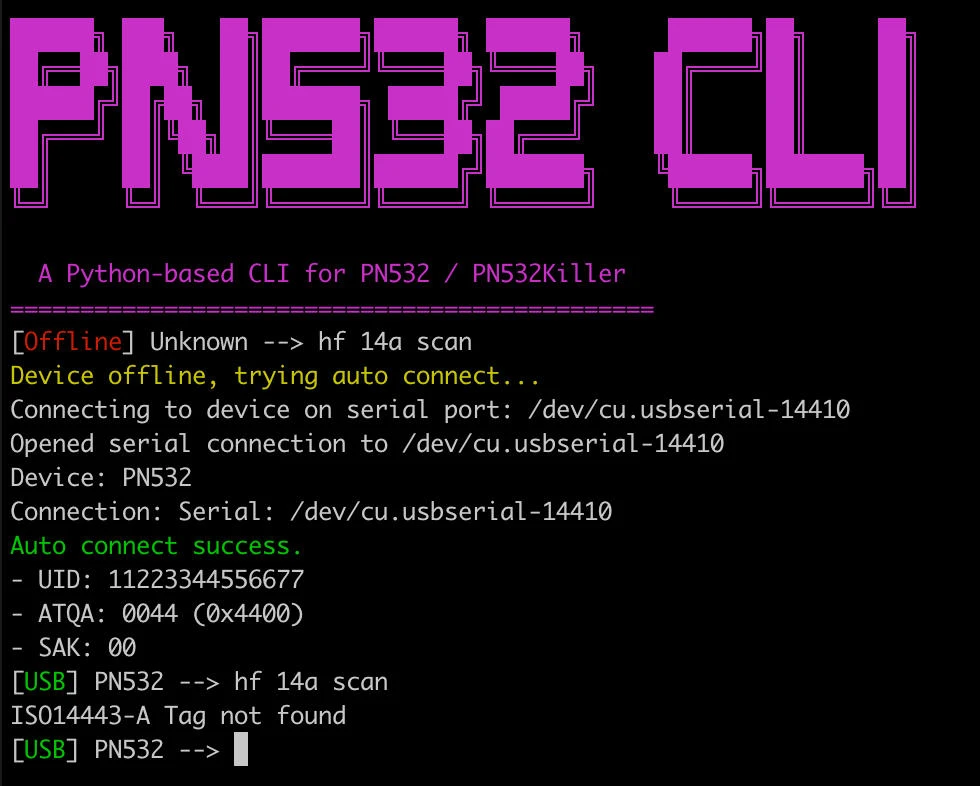
How to repair invalid BCC with hf mfu recover
1. Prepare the reader and compatible tag
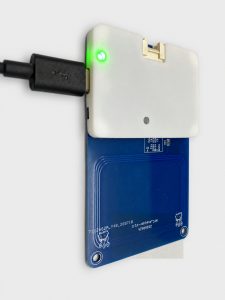
Connect a PN532 reader or PN532Killer to PN532 CLI through a supported connection. Keep one tag steady over the antenna. Use a CLI build that includes hf mfu recover; if it is unrecognized, update to a build containing the recovery feature. See the PN532 CLI project for downloads and setup.
The tag must allow direct writes to its UID pages. Save an existing dump before changing UID data whenever the tag can still be read.
2. Inspect without writing
hf mfu recover --dry-runThis inspects the tag and shows the proposed page data without writing. Look for the recovered UID, the CL1/CL2 BCC status, and any page differences. Recovery recalculates BCC for the UID currently reported by the tag; it does not retrieve an earlier UID from history.
3. Run recovery
hf mfu recoverThe command raw-selects the tag without BCC validation, checks that the anticollision UID agrees with pages 0 and 1, and builds corrected pages 0–2 while preserving the other bytes of page 2. It writes those three pages, checks the readback, restarts the RF field, and performs normal selection to verify the UID.
The supplied PN532 example reports:
UID: AABBCC44556677
BCC: CL1 invalid, CL2 valid
page 0: AABBCCDD -> AABBCC55
page 1: 44556677
page 2: 00480000
UID BCC recovered and verified by normal ISO14443-A scan.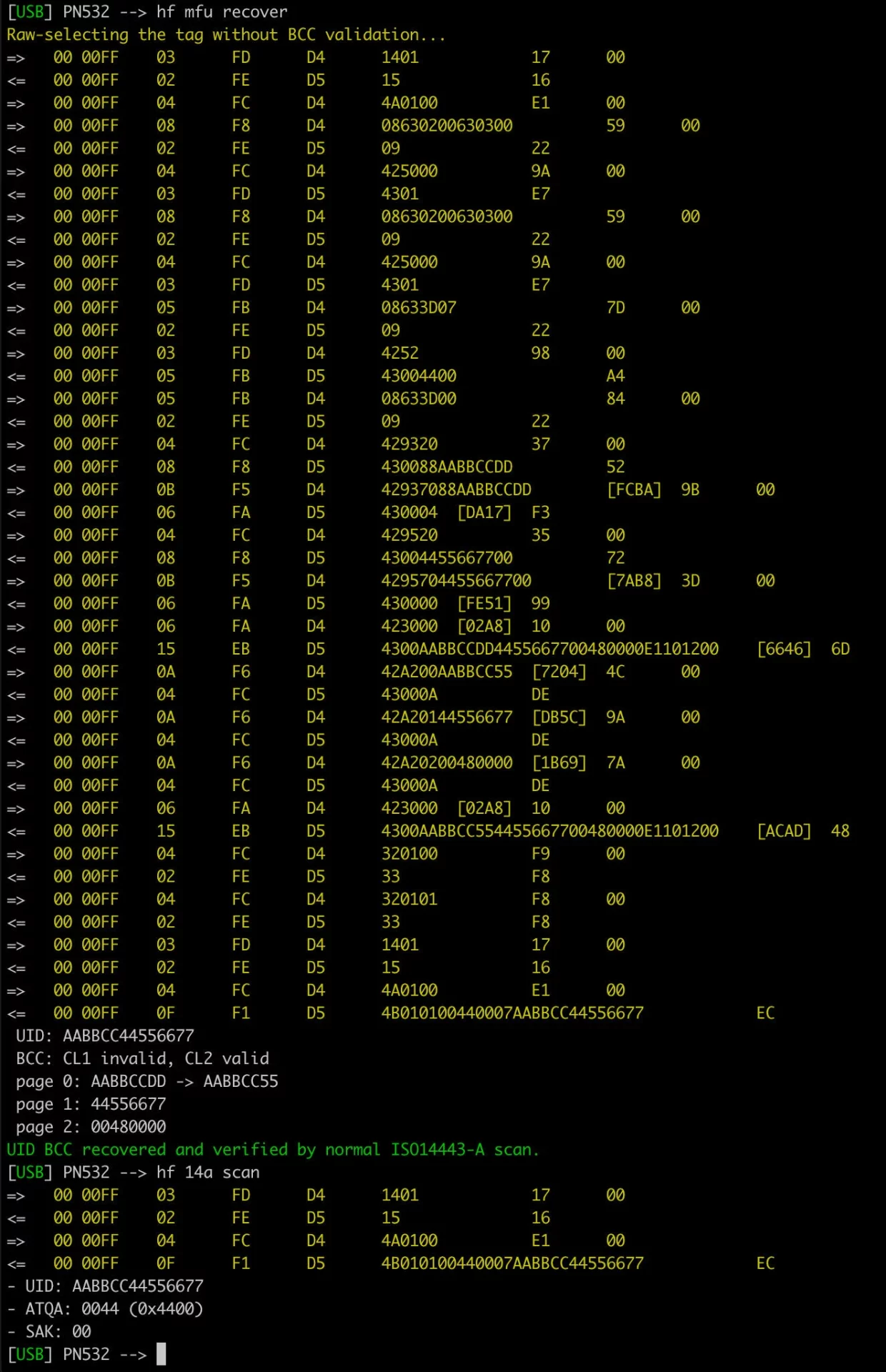
For this UID, 88 XOR AA XOR BB XOR CC = 55, so the last byte of page 0 changes from the incorrect DD to 55. BCC1 is already correct: 44 XOR 55 XOR 66 XOR 77 = 00. The screenshot demonstrates BCC0 repair; the command also recalculates BCC1 when that byte is incorrect.
4. Confirm ordinary scanning works again
hf 14a scanCheck that the expected 7-byte UID appears. In the supplied recovery screenshot, normal scanning returns AABBCC44556677, ATQA 0044 and SAK 00. The success message and this follow-up scan are the practical confirmation that the tag can be selected again.
Safely prepare a UID change with MIFARE Ultralight Tool on Android
For a compatible tag that Android can already detect, MIFARE Ultralight Tool provides a phone-only workflow using built-in NFC. No external PN532 reader is needed for this app workflow. The tag must still support UID writes; phone NFC does not change the hardware restrictions of an ordinary tag.
- Read the tag. Enable Android NFC, open MIFARE Ultralight Tool, choose Read, and tap the tag. Keep the original dump or a snapshot before editing.
- Set the new UID. In the example, the UID changes from
AABBCC44556677toAABBCCDDEEFF11. Use the app’s UID-setting function so the UID and BCC data are prepared together. - Check validation. The supplied Write screenshot shows
BCC0 PassedandBCC1 Passed. If UID or BCC data is invalid, the app displays an invalid warning and prevents writing. Correct the data before continuing. - Write and read back. Choose Write, hold the supported tag steady at the phone’s NFC antenna, then read it again to confirm the new UID and page data.
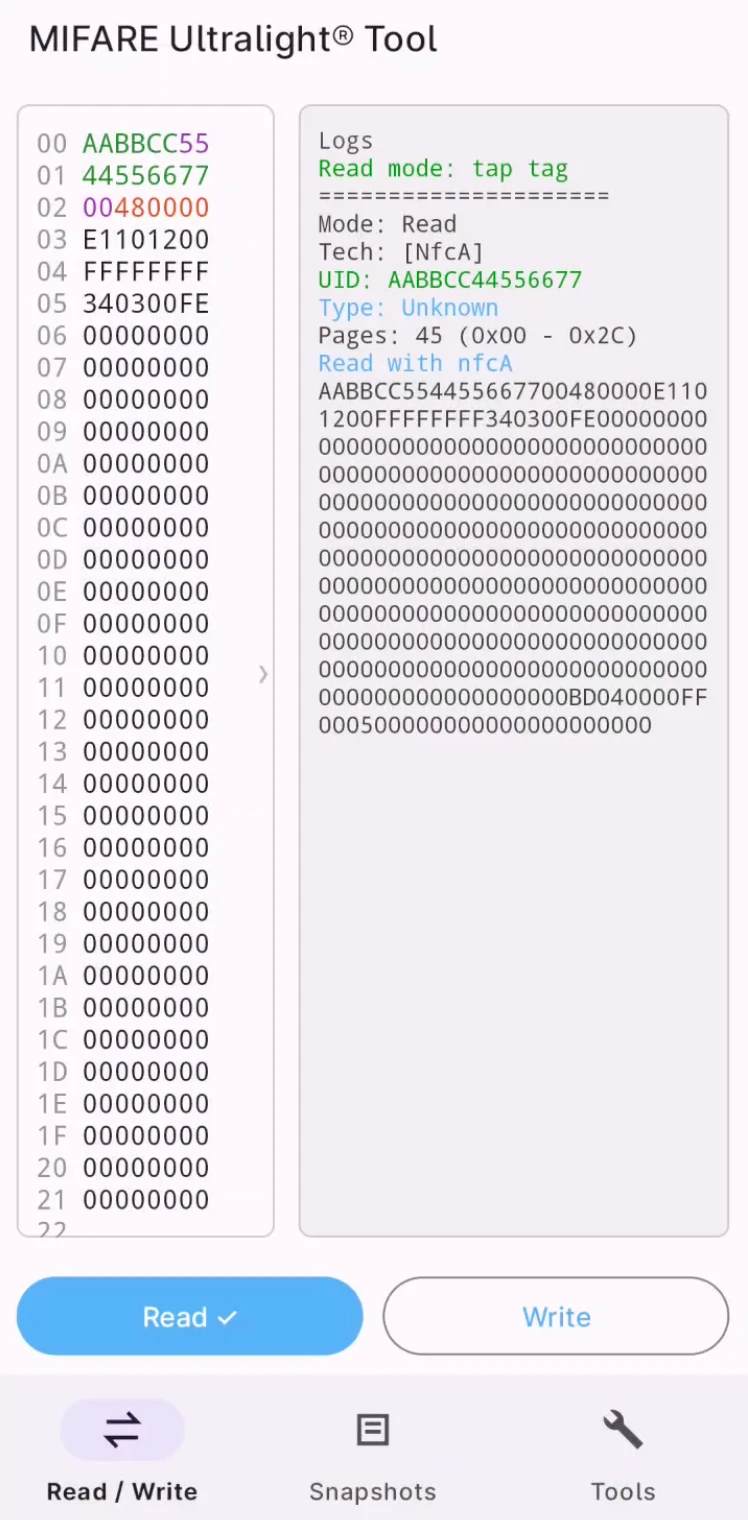
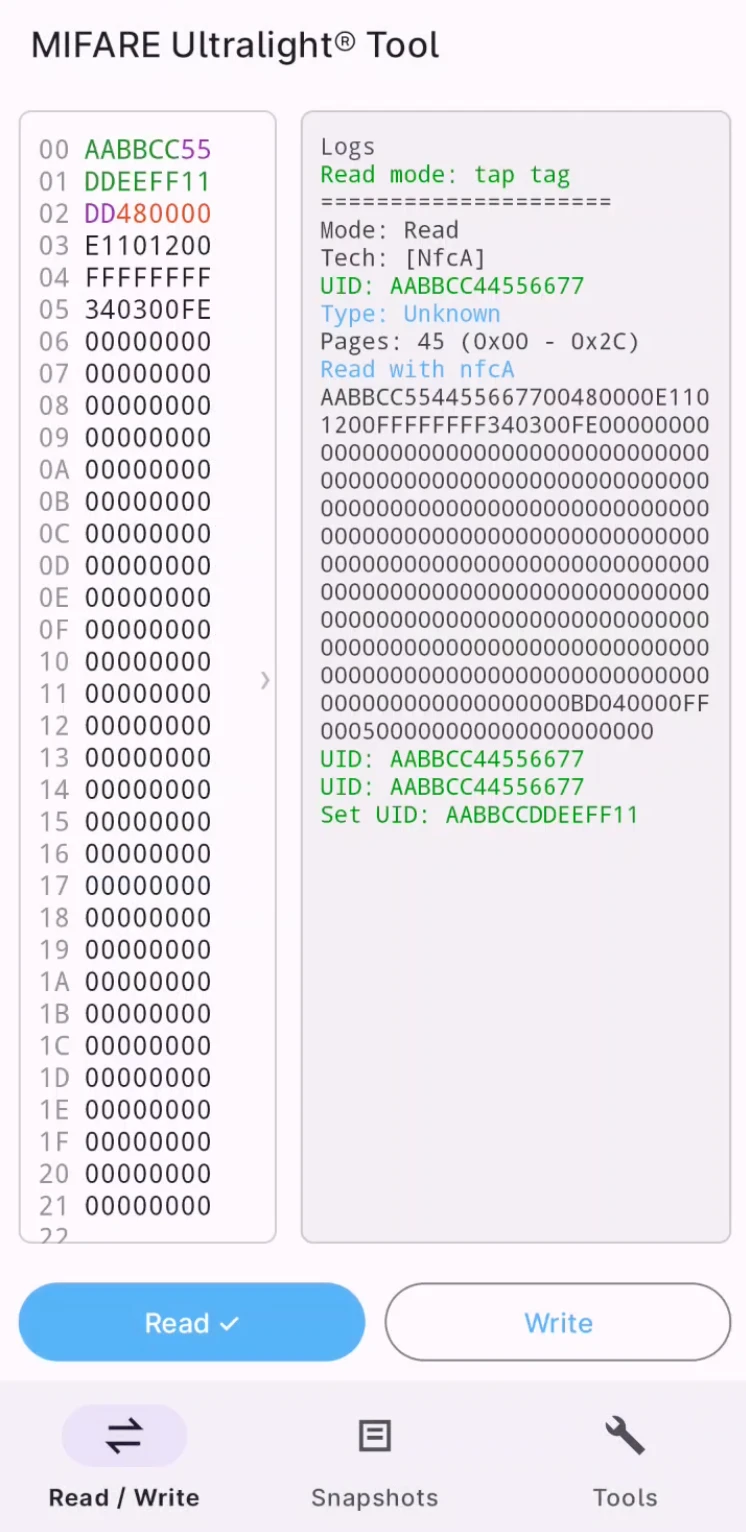
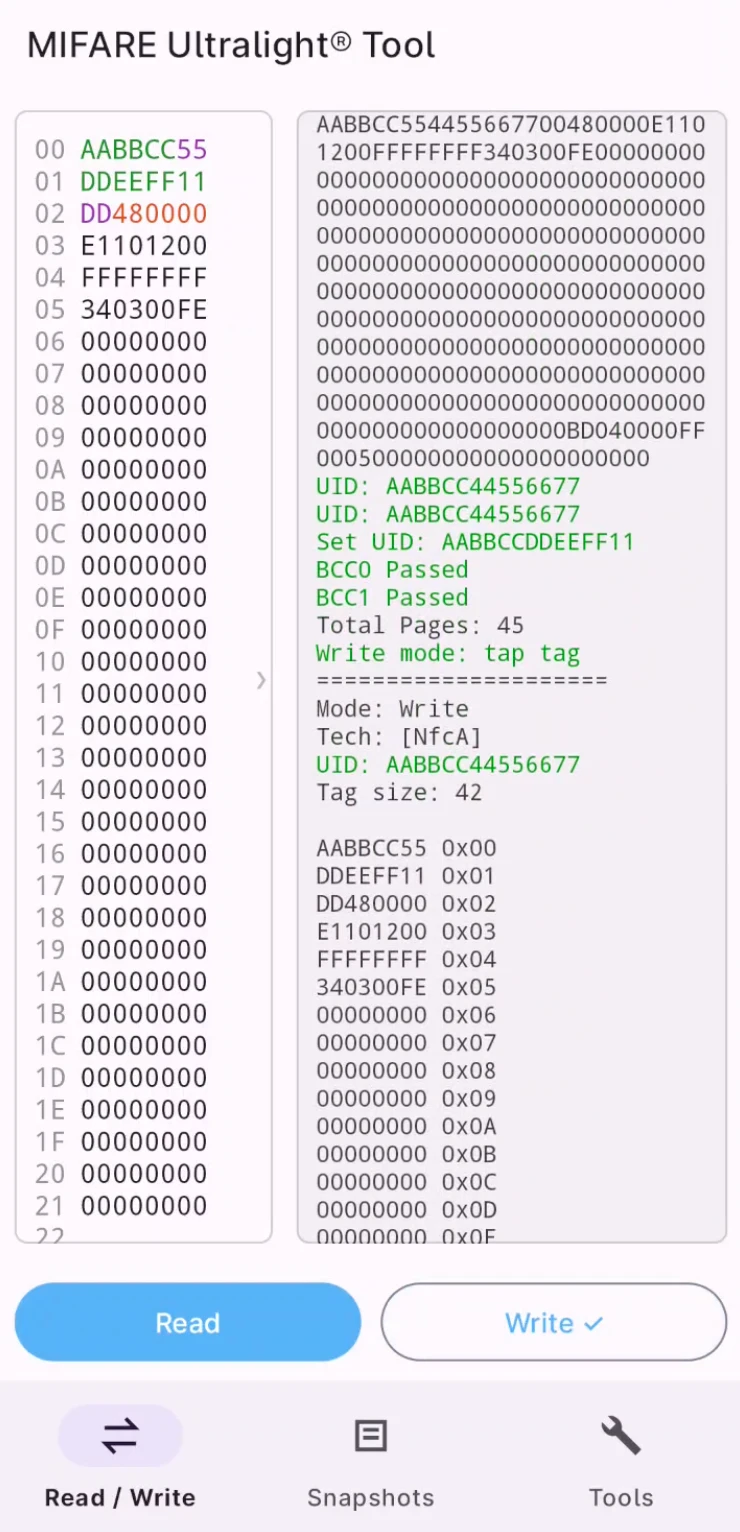
For the new example UID, BCC0 remains 55 and BCC1 becomes DD, giving page 0 AABBCC55, page 1 DDEEFF11, and page 2 DD480000 in the shown buffer. The screenshots show preparation, validation and the write log; finish your own test with a fresh readback.
If the phone cannot detect a tag after a bad UID-page edit, use the PN532 CLI recovery workflow first. Pre-write validation helps prevent a malformed UID/BCC combination; it does not guarantee every write will complete if the tag moves, loses power, or rejects the operation.
Frequently asked questions
Which readers can I use with this PN532 CLI workflow?
A PN532 or PN532Killer with a PN532 CLI build containing hf mfu recover can repair the BCC bytes on supported DirectWrite 7-byte UID Type 2 tags.
Can this change the UID of an original MIFARE Ultralight tag?
No. The UID pages must be writable on a compatible magic tag. Factory UID pages on ordinary genuine tags are not made writable by this command or the Android app.
What if recovery fails?
Check antenna placement, reader connection, command availability and whether DirectWrite is enabled for your exact tag. A page-write rejection can indicate an unsupported or protected tag. If pages were written but normal verification failed, inspect the reported error and readback before trying again.
Will recovery restore my previous UID or application data?
No. It repairs BCC against the current UID and verifies selection. Restoring a previous UID or other memory requires a known backup and a compatible writable tag.
Can Android prevent an invalid UID write?
MIFARE Ultralight Tool validates the prepared UID/BCC data and blocks writing when it is invalid. The supplied example shows both BCC checks passing before the write operation.
Choose your recovery setup
Use PN532 or PN532Killer with PN532 CLI for BCC recovery, and MIFARE Ultralight Tool on Android for validated UID editing through phone NFC. For more background on compatible tags and DirectWrite configuration, read our USCUID-UL magic card guide.

 Magic Card
 Ultimate Magic Card
 4B UID S70 4K KeyFob
 6-in-1 KeyFob
 NTAG 213 215 216
 ISO15693 TAG – 64B
 Gen2 ISO15693 Coin
 RFID Reader
 PN532 BLE
 PcrReader(IC+ID)
 PN532Killer
 GroveNFC
 Proxmark3 RDV4
 iCopy-XS
 UHF Reader
 NFCKill Pro
 125KHz T5577 Cloner
 RFID Emulator
 Chameleon Ultra SE
 Chameleon Mini 2022
 Pixl.js OLED
 RFID Detector (LF HF UHF)
 RF Detector (LF HF)
 Lora
Lora Meshtiny
 GAT562 Pro
 GAT562 30s Kit
 Wio Tracker L1P
 WiFi Deauthor
 WiFi Killer Pro
 Plugin
 店小秘 PayPal 物流同步
 Product Category Banner
 YMM Car Bulb Size
 Attributes Separator
 OpenAI Reviewer
 Code
Code MTools Activation Code
 View All